# 乐观状态
> 通过实现乐观状态提升应用响应速度的感知。
When building user experiences,
the perception of performance is sometimes just as important as
the actual performance of the code.
In general, users don’t like waiting for an action to finish to see the result,
and anything that takes more than a few milliseconds could be considered “slow”
or “unresponsive” from the user’s perspective.
构建用户体验时,性能 **感知** 有时与代码实际性能同样重要。
通常用户不愿等操作完成才看到结果,
超过几毫秒的操作在用户看来可能显得「慢」或「无响应」。
Developers can help mitigate this negative perception
by presenting a successful UI state
before the background task is fully completed.
An example of this would be tapping a “Subscribe” button,
and seeing it change to “Subscribed” instantly,
even if the background call to the subscription API is still running.
开发者可在后台任务尚未完成前展示成功的 UI 状态以缓解这种负面感知。
例如点击「Subscribe」按钮后立即变为「Subscribed」,
即使订阅 API 的后台调用仍在进行。
This technique is known as Optimistic State, Optimistic UI or
Optimistic User Experience.
In this recipe,
you will implement an application feature using Optimistic State and
following the [Flutter architecture guidelines][].
该技术称为乐观状态 (Optimistic State)、乐观 UI 或乐观用户体验。
在本实用教程中,你将按 [Flutter 架构指南][Flutter architecture guidelines] 使用乐观状态实现一个应用功能。
## Example feature: a subscribe button
## 示例功能:订阅按钮
This example implements a subscribe button similar to
the one you could find in a video streaming application or a newsletter.
本示例实现类似视频流媒体应用或新闻通讯中的订阅按钮。
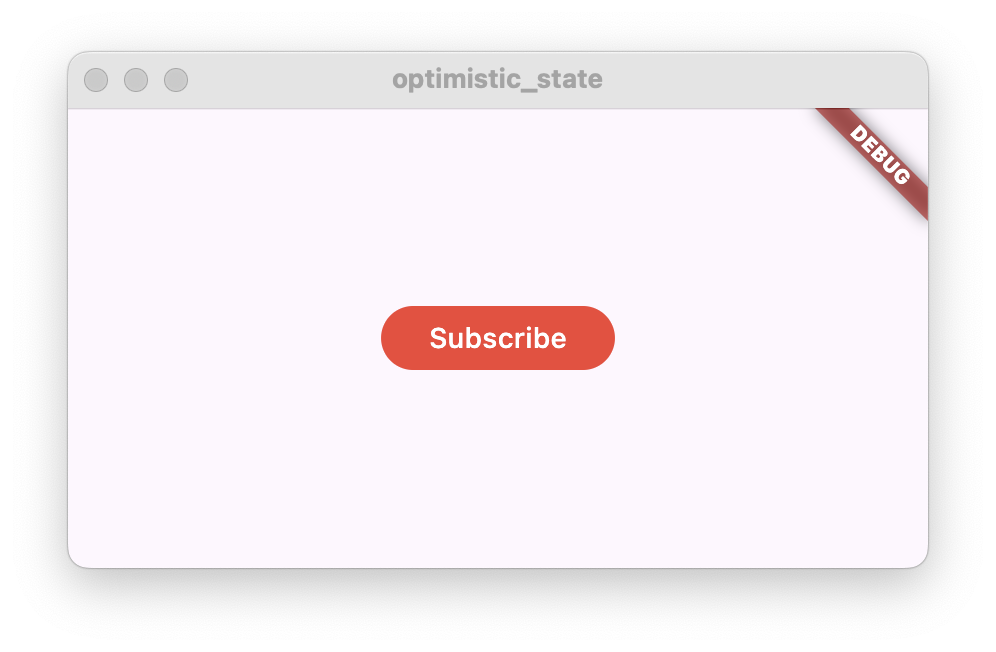 When the button is tapped, the application then calls an external API,
performing a subscription action,
for example recording in a database that the user is now in
the subscription list.
For demo purposes, you will not implement the actual backend code,
instead you will replace this call with
a fake action that will simulate a network request.
点击按钮后应用调用外部 API 执行订阅操作,
例如在数据库中记录用户已加入订阅列表。
为演示起见,不实现真实后端,而用模拟网络请求的假操作替代。
In the case that the call is successful,
the button text will change from “Subscribe” to “Subscribed”.
The button background color will change as well.
调用成功时,按钮文字从 “Subscribe” 变为 “Subscribed”,背景色也会改变。
On the contrary, if the call fails,
the button text should revert back to “Subscribe”,
and the UI should show an error message to the user,
for example using a Snackbar.
若调用失败,按钮文字应恢复为 “Subscribe”,
并通过 Snackbar 等方式向用户显示错误信息。

Following the Optimistic State idea,
the button should instantly change to “Subscribed” once it is tapped,
and only change back to “Subscribe” if the request failed.
按乐观状态思路,点击后按钮应立即变为 “Subscribed”,
仅当请求失败时才恢复为 “Subscribe”。
When the button is tapped, the application then calls an external API,
performing a subscription action,
for example recording in a database that the user is now in
the subscription list.
For demo purposes, you will not implement the actual backend code,
instead you will replace this call with
a fake action that will simulate a network request.
点击按钮后应用调用外部 API 执行订阅操作,
例如在数据库中记录用户已加入订阅列表。
为演示起见,不实现真实后端,而用模拟网络请求的假操作替代。
In the case that the call is successful,
the button text will change from “Subscribe” to “Subscribed”.
The button background color will change as well.
调用成功时,按钮文字从 “Subscribe” 变为 “Subscribed”,背景色也会改变。
On the contrary, if the call fails,
the button text should revert back to “Subscribe”,
and the UI should show an error message to the user,
for example using a Snackbar.
若调用失败,按钮文字应恢复为 “Subscribe”,
并通过 Snackbar 等方式向用户显示错误信息。
Following the Optimistic State idea,
the button should instantly change to “Subscribed” once it is tapped,
and only change back to “Subscribe” if the request failed.
按乐观状态思路,点击后按钮应立即变为 “Subscribed”,
仅当请求失败时才恢复为 “Subscribe”。
 ## Feature architecture
## 功能架构
Start by defining the feature architecture.
Following the architecture guidelines,
create these Dart classes in a Flutter project:
先定义功能架构。按架构指南,在 Flutter 项目中创建以下 Dart 类:
- A `StatefulWidget` named `SubscribeButton`
名为 `SubscribeButton` 的 `StatefulWidget`
- A class named `SubscribeButtonViewModel` extending `ChangeNotifier`
继承 `ChangeNotifier` 的 `SubscribeButtonViewModel` 类
- A class named `SubscriptionRepository`
`SubscriptionRepository` 类
```dart
class SubscribeButton extends StatefulWidget {
const SubscribeButton({super.key});
@override
State createState() => _SubscribeButtonState();
}
class _SubscribeButtonState extends State {
@override
Widget build(BuildContext context) {
return const Placeholder();
}
}
class SubscribeButtonViewModel extends ChangeNotifier {}
class SubscriptionRepository {}
```
The `SubscribeButton` widget and the `SubscribeButtonViewModel` represent
the presentation layer of this solution.
The widget is going to display a button
that will show the text “Subscribe” or “Subscribed”
depending on the subscription state.
The view model will contain the subscription state.
When the button is tapped,
the widget will call the view model to perform the action.
`SubscribeButton` widget 与 `SubscribeButtonViewModel` 代表本方案的展示层。
Widget 显示按钮,根据订阅状态展示 “Subscribe” 或 “Subscribed”;
View model 持有订阅状态;点击时 widget 调用 view model 执行操作。
The `SubscriptionRepository` will implement a subscribe method
that will throw an exception when the action fails.
The view model will call this method when performing the subscription action.
`SubscriptionRepository` 实现 subscribe 方法,失败时抛出异常;
view model 在执行订阅时调用该方法。
Next, connect them together by adding the `SubscriptionRepository`
to the `SubscribeButtonViewModel`:
接下来将 `SubscriptionRepository` 加入 `SubscribeButtonViewModel` 以连接各层:
```dart
class SubscribeButtonViewModel extends ChangeNotifier {
SubscribeButtonViewModel({required this.subscriptionRepository});
final SubscriptionRepository subscriptionRepository;
}
```
And add the `SubscribeButtonViewModel` to the `SubscribeButton` widget:
并将 `SubscribeButtonViewModel` 传入 `SubscribeButton` widget:
```dart
class SubscribeButton extends StatefulWidget {
const SubscribeButton({super.key, required this.viewModel});
/// Subscribe button view model.
final SubscribeButtonViewModel viewModel;
@override
State createState() => _SubscribeButtonState();
}
```
Now that you have created the basic solution architecture,
you can create the `SubscribeButton` widget the following way:
完成基础方案架构后,可按以下方式创建 `SubscribeButton` widget:
```dart
SubscribeButton(
viewModel: SubscribeButtonViewModel(
subscriptionRepository: SubscriptionRepository(),
),
)
```
### Implement the `SubscriptionRepository`
### 实现 `SubscriptionRepository`
Add a new asynchronous method named `subscribe()`
to the `SubscriptionRepository` with the following code:
在 `SubscriptionRepository` 中新增异步方法 `subscribe()`,代码如下:
```dart
class SubscriptionRepository {
/// Simulates a network request and then fails.
Future subscribe() async {
// Simulate a network request
await Future.delayed(const Duration(seconds: 1));
// Fail after one second
throw Exception('Failed to subscribe');
}
}
```
The call to `await Future.delayed()` with a duration of one second
has been added to simulate a long running request.
The method execution will pause for a second, and then it will continue running.
添加 `await Future.delayed()` 一秒用于模拟耗时请求;
方法会暂停一秒后继续执行。
In order to simulate a request failing,
the subscribe method throws an exception at the end.
This will be used later on to show how to recover from a failed request
when implementing Optimistic State.
为模拟请求失败,subscribe 方法末尾抛出异常,
后续实现乐观状态时将展示如何从失败请求恢复。
### Implement the `SubscribeButtonViewModel`
### 实现 `SubscribeButtonViewModel`
To represented the subscription state, as well a possible error state,
add the following public members to the `SubscribeButtonViewModel`:
为表示订阅状态及可能的错误状态,
向 `SubscribeButtonViewModel` 添加以下公共成员:
```dart
// Whether the user is subscribed
bool subscribed = false;
// Whether the subscription action has failed
bool error = false;
```
Both are set to `false` on start.
初始均为 `false`。
Following the ideas of Optimistic State,
the `subscribed` state will change to `true`
as soon as the user taps the subscribe button.
And will only change back to `false` if the action fails.
按乐观状态思路,用户点击订阅按钮后 `subscribed` 立即变为 `true`,
仅当操作失败时才恢复为 `false`。
The `error` state will change to `true` when the action fails,
indicating the `SubscribeButton` widget to show an error message to the user.
The variable should go back to `false` once the error has been displayed.
失败时 `error` 变为 `true`,提示 `SubscribeButton` 向用户显示错误;
错误展示后应重置为 `false`。
Next, implement an asynchronous `subscribe()` method:
接下来实现异步 `subscribe()` 方法:
```dart
// Subscription action
Future subscribe() async {
// Ignore taps when subscribed
if (subscribed) {
return;
}
// Optimistic state.
// It will be reverted if the subscription fails.
subscribed = true;
// Notify listeners to update the UI
notifyListeners();
try {
await subscriptionRepository.subscribe();
} catch (e) {
print('Failed to subscribe: $e');
// Revert to the previous state
subscribed = false;
// Set the error state
error = true;
} finally {
notifyListeners();
}
}
```
As described previously, first the method sets the `subscribed` state to `true`
and then calls to `notifyListeners()`.
This forces the UI to update and the button changes its appearance,
showing the text “Subscribed” to the user.
如前所述,方法先将 `subscribed` 设为 `true` 并调用 `notifyListeners()`,
迫使 UI 更新,按钮显示 “Subscribed”。
Then the method performs the actual call to the repository.
This call is wrapped by a `try-catch`
in order to catch any exceptions it may throw.
In case an exception is caught, the `subscribed` state is set back to `false`,
and the `error` state is set to `true`.
A final call to `notifyListeners()` is done
to change the UI back to ‘Subscribe’.
然后调用 repository;用 `try-catch` 捕获异常。
捕获异常时将 `subscribed` 设回 `false`、`error` 设为 `true`,
最后再次 `notifyListeners()` 使 UI 回到 “Subscribe”。
If there is no exception, the process is complete
because the UI is already reflecting the success state.
无异常则流程结束,因 UI 已反映成功状态。
The complete `SubscribeButtonViewModel` should look like this:
完整的 `SubscribeButtonViewModel` 如下:
```dart
/// Subscribe button View Model.
/// Handles the subscribe action and exposes the state to the subscription.
class SubscribeButtonViewModel extends ChangeNotifier {
SubscribeButtonViewModel({required this.subscriptionRepository});
final SubscriptionRepository subscriptionRepository;
// Whether the user is subscribed
bool subscribed = false;
// Whether the subscription action has failed
bool error = false;
// Subscription action
Future subscribe() async {
// Ignore taps when subscribed
if (subscribed) {
return;
}
// Optimistic state.
// It will be reverted if the subscription fails.
subscribed = true;
// Notify listeners to update the UI
notifyListeners();
try {
await subscriptionRepository.subscribe();
} catch (e) {
print('Failed to subscribe: $e');
// Revert to the previous state
subscribed = false;
// Set the error state
error = true;
} finally {
notifyListeners();
}
}
}
```
### Implement the `SubscribeButton`
### 实现 `SubscribeButton`
In this step,
you will first implement the build method of the `SubscribeButton`,
and then implement the feature’s error handling.
本步先实现 `SubscribeButton` 的 build 方法,再实现错误处理。
Add the following code to the build method:
在 build 方法中添加以下代码:
```dart
@override
Widget build(BuildContext context) {
return ListenableBuilder(
listenable: widget.viewModel,
builder: (context, _) {
return FilledButton(
onPressed: widget.viewModel.subscribe,
style: widget.viewModel.subscribed
? SubscribeButtonStyle.subscribed
: SubscribeButtonStyle.unsubscribed,
child: widget.viewModel.subscribed
? const Text('Subscribed')
: const Text('Subscribe'),
);
},
);
}
```
This build method contains a `ListenableBuilder`
that listens to changes from the view model.
The builder then creates a `FilledButton`
that will display the text "Subscribed" or "Subscribe"
depending on the view model state.
The button style will also change depending on this state.
As well, when the button is tapped,
it runs the `subscribe()` method from the view model.
build 方法使用 `ListenableBuilder` 监听 view model 变化,
创建 `FilledButton`,按状态显示 "Subscribed" 或 "Subscribe",样式随之变化;
点击时调用 view model 的 `subscribe()`。
The `SubscribeButtonStyle` can be found here.
Add this class next to the `SubscribeButton`.
Feel free to modify the `ButtonStyle`.
`SubscribeButtonStyle` 见下,放在 `SubscribeButton` 旁,可自行修改 `ButtonStyle`。
```dart
class SubscribeButtonStyle {
static const unsubscribed = ButtonStyle(
backgroundColor: WidgetStatePropertyAll(Colors.red),
);
static const subscribed = ButtonStyle(
backgroundColor: WidgetStatePropertyAll(Colors.green),
);
}
```
If you run the application now,
you will see how the button changes when you press it,
however it will change back to the original state without showing an error.
现在运行应用,按下按钮会看到变化,
但会恢复初始状态且不显示错误。
### Handling errors
### 处理错误
To handle errors,
add the `initState()` and `dispose()` methods to the `SubscribeButtonState`,
and then add the `_onViewModelChange()` method.
要处理错误,在 `SubscribeButtonState` 中添加 `initState()` 与 `dispose()`,
再添加 `_onViewModelChange()` 方法。
```dart
@override
void initState() {
super.initState();
widget.viewModel.addListener(_onViewModelChange);
}
@override
void dispose() {
widget.viewModel.removeListener(_onViewModelChange);
super.dispose();
}
```
```dart
/// Listen to ViewModel changes.
void _onViewModelChange() {
// If the subscription action has failed
if (widget.viewModel.error) {
// Reset the error state
widget.viewModel.error = false;
// Show an error message
ScaffoldMessenger.of(
context,
).showSnackBar(const SnackBar(content: Text('Failed to subscribe')));
}
}
```
The `addListener()` call registers the `_onViewModelChange()` method
to be called when the view model notifies listeners.
It’s important to call `removeListener()` when the widget is disposed of,
in order to avoid errors.
`addListener()` 在 view model 通知时调用 `_onViewModelChange()`;
widget 销毁时须 `removeListener()` 以免出错。
The `_onViewModelChange()` method checks the `error` state,
and if it is `true`,
displays a `Snackbar` to the user showing an error message.
As well, the `error` state is set back to `false`,
to avoid displaying the error message multiple times
if `notifyListeners()` is called again in the view model.
`_onViewModelChange()` 检查 `error`,为 `true` 时用 `Snackbar` 显示错误,
并将 `error` 重置为 `false`,避免 view model 再次 `notifyListeners()` 时重复提示。
## Advanced Optimistic State
## 高级乐观状态
In this tutorial,
you’ve learned how to implement an Optimistic State with a single binary state,
but you can use this technique to create a more advanced solution
by incorporating a third temporal state
that indicates that the action is still running.
本教程介绍了用单一二元状态实现乐观状态;
也可加入第三种临时状态表示操作仍在进行,构建更高级方案。
For example, in a chat application when the user sends a new message,
the application will display the new chat message in the chat window,
but with an icon indicating that the message is still pending to be delivered.
When the message is delivered, that icon would be removed.
例如聊天应用发送新消息时,窗口先显示消息并带「待送达」图标,送达后移除图标。
In the subscribe button example,
you could add another flag in the view model
indicating that the `subscribe()` method is still running,
or use the Command pattern running state,
then modify the button style slightly to show that the operation is running.
订阅按钮示例中,可在 view model 增加标志表示 `subscribe()` 仍在运行,
或使用命令模式的 running 状态,并微调按钮样式表示操作进行中。
## Interactive example
## 交互示例
This example shows the `SubscribeButton` widget
together with the `SubscribeButtonViewModel`
and `SubscriptionRepository`,
which implement a subscribe tap action with Optimistic State.
本示例展示 `SubscribeButton`、`SubscribeButtonViewModel` 与 `SubscriptionRepository`,
用乐观状态实现订阅点击。
When you tap the button,
the button text changes from “Subscribe” to “Subscribed”. After a second,
the repository throws an exception,
which gets captured by the view model,
and the button reverts back to showing “Subscribe”,
while also displaying a Snackbar with an error message.
点击后文字立即变为 “Subscribed”;约一秒后 repository 抛出异常,
view model 捕获后按钮恢复 “Subscribe” 并显示 Snackbar 错误信息。
```dartpad title="Flutter Optimistic State example in DartPad" run="true"
// ignore_for_file: avoid_print
import 'package:flutter/material.dart';
void main() {
runApp(const MyApp());
}
class MyApp extends StatelessWidget {
const MyApp({super.key});
// This widget is the root of your application.
@override
Widget build(BuildContext context) {
return MaterialApp(
home: Scaffold(
body: Center(
child: SubscribeButton(
viewModel: SubscribeButtonViewModel(
subscriptionRepository: SubscriptionRepository(),
),
),
),
),
);
}
}
/// A button that simulates a subscription action.
/// For example, subscribing to a newsletter or a streaming channel.
class SubscribeButton extends StatefulWidget {
const SubscribeButton({super.key, required this.viewModel});
/// Subscribe button view model.
final SubscribeButtonViewModel viewModel;
@override
State createState() => _SubscribeButtonState();
}
class _SubscribeButtonState extends State {
@override
void initState() {
super.initState();
widget.viewModel.addListener(_onViewModelChange);
}
@override
void dispose() {
widget.viewModel.removeListener(_onViewModelChange);
super.dispose();
}
@override
Widget build(BuildContext context) {
return ListenableBuilder(
listenable: widget.viewModel,
builder: (context, _) {
return FilledButton(
onPressed: widget.viewModel.subscribe,
style: widget.viewModel.subscribed
? SubscribeButtonStyle.subscribed
: SubscribeButtonStyle.unsubscribed,
child: widget.viewModel.subscribed
? const Text('Subscribed')
: const Text('Subscribe'),
);
},
);
}
/// Listen to ViewModel changes.
void _onViewModelChange() {
// If the subscription action has failed
if (widget.viewModel.error) {
// Reset the error state
widget.viewModel.error = false;
// Show an error message
ScaffoldMessenger.of(
context,
).showSnackBar(const SnackBar(content: Text('Failed to subscribe')));
}
}
}
class SubscribeButtonStyle {
static const unsubscribed = ButtonStyle(
backgroundColor: WidgetStatePropertyAll(Colors.red),
);
static const subscribed = ButtonStyle(
backgroundColor: WidgetStatePropertyAll(Colors.green),
);
}
/// Subscribe button View Model.
/// Handles the subscribe action and exposes the state to the subscription.
class SubscribeButtonViewModel extends ChangeNotifier {
SubscribeButtonViewModel({required this.subscriptionRepository});
final SubscriptionRepository subscriptionRepository;
// Whether the user is subscribed
bool subscribed = false;
// Whether the subscription action has failed
bool error = false;
// Subscription action
Future subscribe() async {
// Ignore taps when subscribed
if (subscribed) {
return;
}
// Optimistic state.
// It will be reverted if the subscription fails.
subscribed = true;
// Notify listeners to update the UI
notifyListeners();
try {
await subscriptionRepository.subscribe();
} catch (e) {
print('Failed to subscribe: $e');
// Revert to the previous state
subscribed = false;
// Set the error state
error = true;
} finally {
notifyListeners();
}
}
}
/// Repository of subscriptions.
class SubscriptionRepository {
/// Simulates a network request and then fails.
Future subscribe() async {
// Simulate a network request
await Future.delayed(const Duration(seconds: 1));
// Fail after one second
throw Exception('Failed to subscribe');
}
}
```
[Flutter Architecture guidelines]:/app-architecture
## Feature architecture
## 功能架构
Start by defining the feature architecture.
Following the architecture guidelines,
create these Dart classes in a Flutter project:
先定义功能架构。按架构指南,在 Flutter 项目中创建以下 Dart 类:
- A `StatefulWidget` named `SubscribeButton`
名为 `SubscribeButton` 的 `StatefulWidget`
- A class named `SubscribeButtonViewModel` extending `ChangeNotifier`
继承 `ChangeNotifier` 的 `SubscribeButtonViewModel` 类
- A class named `SubscriptionRepository`
`SubscriptionRepository` 类
```dart
class SubscribeButton extends StatefulWidget {
const SubscribeButton({super.key});
@override
State createState() => _SubscribeButtonState();
}
class _SubscribeButtonState extends State {
@override
Widget build(BuildContext context) {
return const Placeholder();
}
}
class SubscribeButtonViewModel extends ChangeNotifier {}
class SubscriptionRepository {}
```
The `SubscribeButton` widget and the `SubscribeButtonViewModel` represent
the presentation layer of this solution.
The widget is going to display a button
that will show the text “Subscribe” or “Subscribed”
depending on the subscription state.
The view model will contain the subscription state.
When the button is tapped,
the widget will call the view model to perform the action.
`SubscribeButton` widget 与 `SubscribeButtonViewModel` 代表本方案的展示层。
Widget 显示按钮,根据订阅状态展示 “Subscribe” 或 “Subscribed”;
View model 持有订阅状态;点击时 widget 调用 view model 执行操作。
The `SubscriptionRepository` will implement a subscribe method
that will throw an exception when the action fails.
The view model will call this method when performing the subscription action.
`SubscriptionRepository` 实现 subscribe 方法,失败时抛出异常;
view model 在执行订阅时调用该方法。
Next, connect them together by adding the `SubscriptionRepository`
to the `SubscribeButtonViewModel`:
接下来将 `SubscriptionRepository` 加入 `SubscribeButtonViewModel` 以连接各层:
```dart
class SubscribeButtonViewModel extends ChangeNotifier {
SubscribeButtonViewModel({required this.subscriptionRepository});
final SubscriptionRepository subscriptionRepository;
}
```
And add the `SubscribeButtonViewModel` to the `SubscribeButton` widget:
并将 `SubscribeButtonViewModel` 传入 `SubscribeButton` widget:
```dart
class SubscribeButton extends StatefulWidget {
const SubscribeButton({super.key, required this.viewModel});
/// Subscribe button view model.
final SubscribeButtonViewModel viewModel;
@override
State createState() => _SubscribeButtonState();
}
```
Now that you have created the basic solution architecture,
you can create the `SubscribeButton` widget the following way:
完成基础方案架构后,可按以下方式创建 `SubscribeButton` widget:
```dart
SubscribeButton(
viewModel: SubscribeButtonViewModel(
subscriptionRepository: SubscriptionRepository(),
),
)
```
### Implement the `SubscriptionRepository`
### 实现 `SubscriptionRepository`
Add a new asynchronous method named `subscribe()`
to the `SubscriptionRepository` with the following code:
在 `SubscriptionRepository` 中新增异步方法 `subscribe()`,代码如下:
```dart
class SubscriptionRepository {
/// Simulates a network request and then fails.
Future subscribe() async {
// Simulate a network request
await Future.delayed(const Duration(seconds: 1));
// Fail after one second
throw Exception('Failed to subscribe');
}
}
```
The call to `await Future.delayed()` with a duration of one second
has been added to simulate a long running request.
The method execution will pause for a second, and then it will continue running.
添加 `await Future.delayed()` 一秒用于模拟耗时请求;
方法会暂停一秒后继续执行。
In order to simulate a request failing,
the subscribe method throws an exception at the end.
This will be used later on to show how to recover from a failed request
when implementing Optimistic State.
为模拟请求失败,subscribe 方法末尾抛出异常,
后续实现乐观状态时将展示如何从失败请求恢复。
### Implement the `SubscribeButtonViewModel`
### 实现 `SubscribeButtonViewModel`
To represented the subscription state, as well a possible error state,
add the following public members to the `SubscribeButtonViewModel`:
为表示订阅状态及可能的错误状态,
向 `SubscribeButtonViewModel` 添加以下公共成员:
```dart
// Whether the user is subscribed
bool subscribed = false;
// Whether the subscription action has failed
bool error = false;
```
Both are set to `false` on start.
初始均为 `false`。
Following the ideas of Optimistic State,
the `subscribed` state will change to `true`
as soon as the user taps the subscribe button.
And will only change back to `false` if the action fails.
按乐观状态思路,用户点击订阅按钮后 `subscribed` 立即变为 `true`,
仅当操作失败时才恢复为 `false`。
The `error` state will change to `true` when the action fails,
indicating the `SubscribeButton` widget to show an error message to the user.
The variable should go back to `false` once the error has been displayed.
失败时 `error` 变为 `true`,提示 `SubscribeButton` 向用户显示错误;
错误展示后应重置为 `false`。
Next, implement an asynchronous `subscribe()` method:
接下来实现异步 `subscribe()` 方法:
```dart
// Subscription action
Future subscribe() async {
// Ignore taps when subscribed
if (subscribed) {
return;
}
// Optimistic state.
// It will be reverted if the subscription fails.
subscribed = true;
// Notify listeners to update the UI
notifyListeners();
try {
await subscriptionRepository.subscribe();
} catch (e) {
print('Failed to subscribe: $e');
// Revert to the previous state
subscribed = false;
// Set the error state
error = true;
} finally {
notifyListeners();
}
}
```
As described previously, first the method sets the `subscribed` state to `true`
and then calls to `notifyListeners()`.
This forces the UI to update and the button changes its appearance,
showing the text “Subscribed” to the user.
如前所述,方法先将 `subscribed` 设为 `true` 并调用 `notifyListeners()`,
迫使 UI 更新,按钮显示 “Subscribed”。
Then the method performs the actual call to the repository.
This call is wrapped by a `try-catch`
in order to catch any exceptions it may throw.
In case an exception is caught, the `subscribed` state is set back to `false`,
and the `error` state is set to `true`.
A final call to `notifyListeners()` is done
to change the UI back to ‘Subscribe’.
然后调用 repository;用 `try-catch` 捕获异常。
捕获异常时将 `subscribed` 设回 `false`、`error` 设为 `true`,
最后再次 `notifyListeners()` 使 UI 回到 “Subscribe”。
If there is no exception, the process is complete
because the UI is already reflecting the success state.
无异常则流程结束,因 UI 已反映成功状态。
The complete `SubscribeButtonViewModel` should look like this:
完整的 `SubscribeButtonViewModel` 如下:
```dart
/// Subscribe button View Model.
/// Handles the subscribe action and exposes the state to the subscription.
class SubscribeButtonViewModel extends ChangeNotifier {
SubscribeButtonViewModel({required this.subscriptionRepository});
final SubscriptionRepository subscriptionRepository;
// Whether the user is subscribed
bool subscribed = false;
// Whether the subscription action has failed
bool error = false;
// Subscription action
Future subscribe() async {
// Ignore taps when subscribed
if (subscribed) {
return;
}
// Optimistic state.
// It will be reverted if the subscription fails.
subscribed = true;
// Notify listeners to update the UI
notifyListeners();
try {
await subscriptionRepository.subscribe();
} catch (e) {
print('Failed to subscribe: $e');
// Revert to the previous state
subscribed = false;
// Set the error state
error = true;
} finally {
notifyListeners();
}
}
}
```
### Implement the `SubscribeButton`
### 实现 `SubscribeButton`
In this step,
you will first implement the build method of the `SubscribeButton`,
and then implement the feature’s error handling.
本步先实现 `SubscribeButton` 的 build 方法,再实现错误处理。
Add the following code to the build method:
在 build 方法中添加以下代码:
```dart
@override
Widget build(BuildContext context) {
return ListenableBuilder(
listenable: widget.viewModel,
builder: (context, _) {
return FilledButton(
onPressed: widget.viewModel.subscribe,
style: widget.viewModel.subscribed
? SubscribeButtonStyle.subscribed
: SubscribeButtonStyle.unsubscribed,
child: widget.viewModel.subscribed
? const Text('Subscribed')
: const Text('Subscribe'),
);
},
);
}
```
This build method contains a `ListenableBuilder`
that listens to changes from the view model.
The builder then creates a `FilledButton`
that will display the text "Subscribed" or "Subscribe"
depending on the view model state.
The button style will also change depending on this state.
As well, when the button is tapped,
it runs the `subscribe()` method from the view model.
build 方法使用 `ListenableBuilder` 监听 view model 变化,
创建 `FilledButton`,按状态显示 "Subscribed" 或 "Subscribe",样式随之变化;
点击时调用 view model 的 `subscribe()`。
The `SubscribeButtonStyle` can be found here.
Add this class next to the `SubscribeButton`.
Feel free to modify the `ButtonStyle`.
`SubscribeButtonStyle` 见下,放在 `SubscribeButton` 旁,可自行修改 `ButtonStyle`。
```dart
class SubscribeButtonStyle {
static const unsubscribed = ButtonStyle(
backgroundColor: WidgetStatePropertyAll(Colors.red),
);
static const subscribed = ButtonStyle(
backgroundColor: WidgetStatePropertyAll(Colors.green),
);
}
```
If you run the application now,
you will see how the button changes when you press it,
however it will change back to the original state without showing an error.
现在运行应用,按下按钮会看到变化,
但会恢复初始状态且不显示错误。
### Handling errors
### 处理错误
To handle errors,
add the `initState()` and `dispose()` methods to the `SubscribeButtonState`,
and then add the `_onViewModelChange()` method.
要处理错误,在 `SubscribeButtonState` 中添加 `initState()` 与 `dispose()`,
再添加 `_onViewModelChange()` 方法。
```dart
@override
void initState() {
super.initState();
widget.viewModel.addListener(_onViewModelChange);
}
@override
void dispose() {
widget.viewModel.removeListener(_onViewModelChange);
super.dispose();
}
```
```dart
/// Listen to ViewModel changes.
void _onViewModelChange() {
// If the subscription action has failed
if (widget.viewModel.error) {
// Reset the error state
widget.viewModel.error = false;
// Show an error message
ScaffoldMessenger.of(
context,
).showSnackBar(const SnackBar(content: Text('Failed to subscribe')));
}
}
```
The `addListener()` call registers the `_onViewModelChange()` method
to be called when the view model notifies listeners.
It’s important to call `removeListener()` when the widget is disposed of,
in order to avoid errors.
`addListener()` 在 view model 通知时调用 `_onViewModelChange()`;
widget 销毁时须 `removeListener()` 以免出错。
The `_onViewModelChange()` method checks the `error` state,
and if it is `true`,
displays a `Snackbar` to the user showing an error message.
As well, the `error` state is set back to `false`,
to avoid displaying the error message multiple times
if `notifyListeners()` is called again in the view model.
`_onViewModelChange()` 检查 `error`,为 `true` 时用 `Snackbar` 显示错误,
并将 `error` 重置为 `false`,避免 view model 再次 `notifyListeners()` 时重复提示。
## Advanced Optimistic State
## 高级乐观状态
In this tutorial,
you’ve learned how to implement an Optimistic State with a single binary state,
but you can use this technique to create a more advanced solution
by incorporating a third temporal state
that indicates that the action is still running.
本教程介绍了用单一二元状态实现乐观状态;
也可加入第三种临时状态表示操作仍在进行,构建更高级方案。
For example, in a chat application when the user sends a new message,
the application will display the new chat message in the chat window,
but with an icon indicating that the message is still pending to be delivered.
When the message is delivered, that icon would be removed.
例如聊天应用发送新消息时,窗口先显示消息并带「待送达」图标,送达后移除图标。
In the subscribe button example,
you could add another flag in the view model
indicating that the `subscribe()` method is still running,
or use the Command pattern running state,
then modify the button style slightly to show that the operation is running.
订阅按钮示例中,可在 view model 增加标志表示 `subscribe()` 仍在运行,
或使用命令模式的 running 状态,并微调按钮样式表示操作进行中。
## Interactive example
## 交互示例
This example shows the `SubscribeButton` widget
together with the `SubscribeButtonViewModel`
and `SubscriptionRepository`,
which implement a subscribe tap action with Optimistic State.
本示例展示 `SubscribeButton`、`SubscribeButtonViewModel` 与 `SubscriptionRepository`,
用乐观状态实现订阅点击。
When you tap the button,
the button text changes from “Subscribe” to “Subscribed”. After a second,
the repository throws an exception,
which gets captured by the view model,
and the button reverts back to showing “Subscribe”,
while also displaying a Snackbar with an error message.
点击后文字立即变为 “Subscribed”;约一秒后 repository 抛出异常,
view model 捕获后按钮恢复 “Subscribe” 并显示 Snackbar 错误信息。
```dartpad title="Flutter Optimistic State example in DartPad" run="true"
// ignore_for_file: avoid_print
import 'package:flutter/material.dart';
void main() {
runApp(const MyApp());
}
class MyApp extends StatelessWidget {
const MyApp({super.key});
// This widget is the root of your application.
@override
Widget build(BuildContext context) {
return MaterialApp(
home: Scaffold(
body: Center(
child: SubscribeButton(
viewModel: SubscribeButtonViewModel(
subscriptionRepository: SubscriptionRepository(),
),
),
),
),
);
}
}
/// A button that simulates a subscription action.
/// For example, subscribing to a newsletter or a streaming channel.
class SubscribeButton extends StatefulWidget {
const SubscribeButton({super.key, required this.viewModel});
/// Subscribe button view model.
final SubscribeButtonViewModel viewModel;
@override
State createState() => _SubscribeButtonState();
}
class _SubscribeButtonState extends State {
@override
void initState() {
super.initState();
widget.viewModel.addListener(_onViewModelChange);
}
@override
void dispose() {
widget.viewModel.removeListener(_onViewModelChange);
super.dispose();
}
@override
Widget build(BuildContext context) {
return ListenableBuilder(
listenable: widget.viewModel,
builder: (context, _) {
return FilledButton(
onPressed: widget.viewModel.subscribe,
style: widget.viewModel.subscribed
? SubscribeButtonStyle.subscribed
: SubscribeButtonStyle.unsubscribed,
child: widget.viewModel.subscribed
? const Text('Subscribed')
: const Text('Subscribe'),
);
},
);
}
/// Listen to ViewModel changes.
void _onViewModelChange() {
// If the subscription action has failed
if (widget.viewModel.error) {
// Reset the error state
widget.viewModel.error = false;
// Show an error message
ScaffoldMessenger.of(
context,
).showSnackBar(const SnackBar(content: Text('Failed to subscribe')));
}
}
}
class SubscribeButtonStyle {
static const unsubscribed = ButtonStyle(
backgroundColor: WidgetStatePropertyAll(Colors.red),
);
static const subscribed = ButtonStyle(
backgroundColor: WidgetStatePropertyAll(Colors.green),
);
}
/// Subscribe button View Model.
/// Handles the subscribe action and exposes the state to the subscription.
class SubscribeButtonViewModel extends ChangeNotifier {
SubscribeButtonViewModel({required this.subscriptionRepository});
final SubscriptionRepository subscriptionRepository;
// Whether the user is subscribed
bool subscribed = false;
// Whether the subscription action has failed
bool error = false;
// Subscription action
Future subscribe() async {
// Ignore taps when subscribed
if (subscribed) {
return;
}
// Optimistic state.
// It will be reverted if the subscription fails.
subscribed = true;
// Notify listeners to update the UI
notifyListeners();
try {
await subscriptionRepository.subscribe();
} catch (e) {
print('Failed to subscribe: $e');
// Revert to the previous state
subscribed = false;
// Set the error state
error = true;
} finally {
notifyListeners();
}
}
}
/// Repository of subscriptions.
class SubscriptionRepository {
/// Simulates a network request and then fails.
Future subscribe() async {
// Simulate a network request
await Future.delayed(const Duration(seconds: 1));
// Fail after one second
throw Exception('Failed to subscribe');
}
}
```
[Flutter Architecture guidelines]:/app-architecture