# 向 Android 应用中添加 Flutter Fragment
> 了解如何向你现有的 Android 应用添加一个 Flutter Fragment。
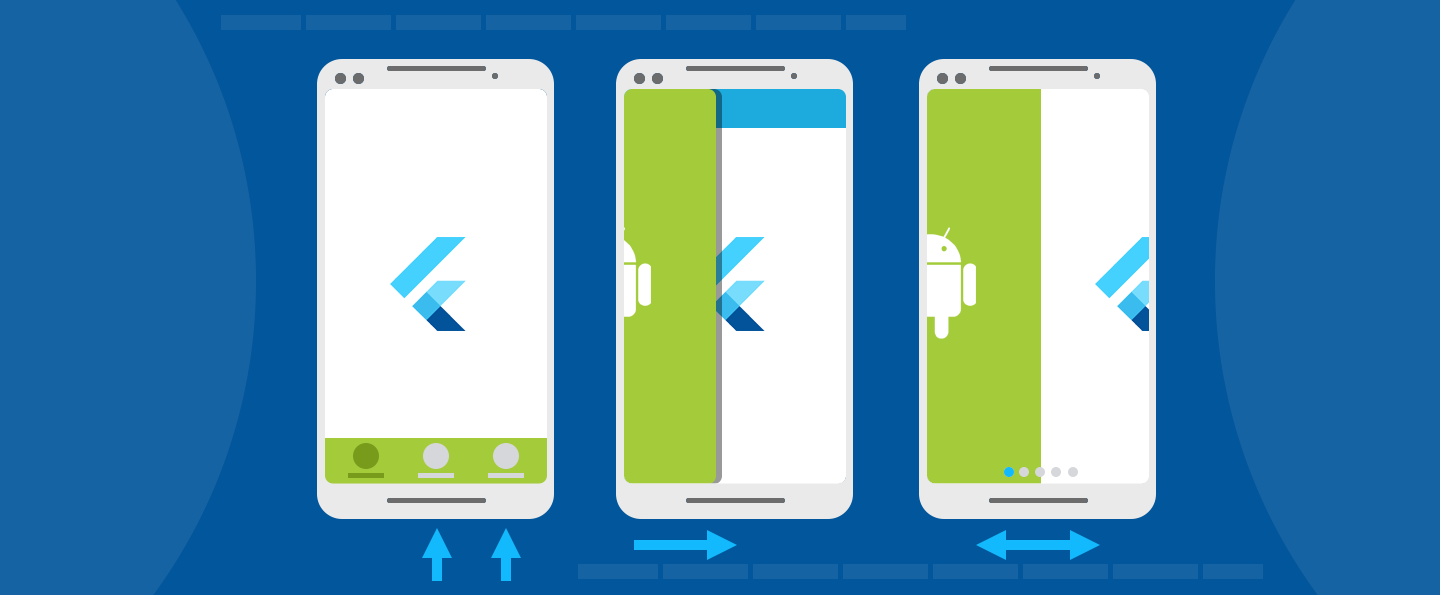 This guide describes how to add a Flutter `Fragment` to an existing
Android app. In Android, a [`Fragment`][] represents a modular
piece of a larger UI. A `Fragment` might be used to present
a sliding drawer, tabbed content, a page in a `ViewPager`,
or it might simply represent a normal screen in a
single-`Activity` app. Flutter provides a [`FlutterFragment`][]
so that developers can present a Flutter experience any place
that they can use a regular `Fragment`.
本篇指南介绍如何向一个现有的 Android 应用中添加 Flutter `Fragment`。
在 Android 开发中,一个 [`Fragment`][] 代表了一块较大的模块化 UI。
`Fragment` 可能被用来展示滑动抽屉、标签内容和 `ViewPager` 中的页面,
或者在单 `Activity` 应用中,`Fragment` 可能仅代表正常的屏幕内容。
Flutter 提供了[`FlutterFragment`][],
以便于开发者们可以在任何使用常规 `Fragment` 的地方呈现 Flutter 的内容。
If an `Activity` is equally applicable for your application needs,
consider [using a `FlutterActivity`][] instead of a
`FlutterFragment`, which is quicker and easier to use.
如果 `Activity` 同样适用于你的应用需求,
可以考虑 [使用 `FlutterActivity`][using a `FlutterActivity`] 而非 `FlutterFragment`,前者更加快捷易用。
`FlutterFragment` allows developers to control the following
details of the Flutter experience within the `Fragment`:
`FlutterFragment` 允许开发者在 `Fragment` 中控制以下 Flutter 的开发细节:
* Initial Flutter route
Flutter 初始路由
* Dart entrypoint to execute
将要执行的 Dart 入口
* Opaque vs translucent background
非透明或者透明的背景
* Whether `FlutterFragment` should control its surrounding `Activity`
`FlutterFragment` 是否能控制它外层的 `Activity`
* Whether a new [`FlutterEngine`][] or a cached `FlutterEngine` should be used
使用新的还是缓存的 [`FlutterEngine`][]
`FlutterFragment` also comes with a number of calls that
must be forwarded from its surrounding `Activity`.
These calls allow Flutter to react appropriately to OS events.
`FlutterFragment` 还提供了一些回调事件,这些回调必须由它所在的 `Activity` 触发执行。
这些回调允许 Flutter 适时地响应一些系统事件。
All varieties of `FlutterFragment`, and its requirements,
are described in this guide.
这篇指南介绍了 `FlutterFragment` 的所有使用方式和使用要求。
## Add a `FlutterFragment` to an `Activity` with a new `FlutterEngine`
## 使用新的 `FlutterEngine` 向 `Activity` 中添加 `FlutterFragment`
The first thing to do to use a `FlutterFragment` is to add it to a host
`Activity`.
使用 `FlutterFragment` 的第一步是将其添加进宿主 `Activity`。
To add a `FlutterFragment` to a host `Activity`, instantiate and
attach an instance of `FlutterFragment` in `onCreate()` within the
`Activity`, or at another time that works for your app:
要向宿主 `Activity` 中添加 `FlutterFragment`,
需要在 `Activity` 的 `onCreate()` 或者其它合适的地方,
实例化 `FlutterFragment` 并且与 `Activity` 绑定。
```kotlin title="MyActivity.kt"
class MyActivity : FragmentActivity() {
companion object {
// Define a tag String to represent the FlutterFragment within this
// Activity's FragmentManager. This value can be whatever you'd like.
private const val TAG_FLUTTER_FRAGMENT = "flutter_fragment"
}
// Declare a local variable to reference the FlutterFragment so that you
// can forward calls to it later.
private var flutterFragment: FlutterFragment? = null
override fun onCreate(savedInstanceState: Bundle?) {
super.onCreate(savedInstanceState)
// Inflate a layout that has a container for your FlutterFragment. For
// this example, assume that a FrameLayout exists with an ID of
// R.id.fragment_container.
setContentView(R.layout.my_activity_layout)
// Get a reference to the Activity's FragmentManager to add a new
// FlutterFragment, or find an existing one.
val fragmentManager: FragmentManager = supportFragmentManager
// Attempt to find an existing FlutterFragment, in case this is not the
// first time that onCreate() was run.
flutterFragment = fragmentManager
.findFragmentByTag(TAG_FLUTTER_FRAGMENT) as FlutterFragment?
// Create and attach a FlutterFragment if one does not exist.
if (flutterFragment == null) {
var newFlutterFragment = FlutterFragment.createDefault()
flutterFragment = newFlutterFragment
fragmentManager
.beginTransaction()
.add(
R.id.fragment_container,
newFlutterFragment,
TAG_FLUTTER_FRAGMENT
)
.commit()
}
}
}
```
```java title="MyActivity.java"
public class MyActivity extends FragmentActivity {
// Define a tag String to represent the FlutterFragment within this
// Activity's FragmentManager. This value can be whatever you'd like.
private static final String TAG_FLUTTER_FRAGMENT = "flutter_fragment";
// Declare a local variable to reference the FlutterFragment so that you
// can forward calls to it later.
private FlutterFragment flutterFragment;
@Override
protected void onCreate(Bundle savedInstanceState) {
super.onCreate(savedInstanceState);
// Inflate a layout that has a container for your FlutterFragment.
// For this example, assume that a FrameLayout exists with an ID of
// R.id.fragment_container.
setContentView(R.layout.my_activity_layout);
// Get a reference to the Activity's FragmentManager to add a new
// FlutterFragment, or find an existing one.
FragmentManager fragmentManager = getSupportFragmentManager();
// Attempt to find an existing FlutterFragment,
// in case this is not the first time that onCreate() was run.
flutterFragment = (FlutterFragment) fragmentManager
.findFragmentByTag(TAG_FLUTTER_FRAGMENT);
// Create and attach a FlutterFragment if one does not exist.
if (flutterFragment == null) {
flutterFragment = FlutterFragment.createDefault();
fragmentManager
.beginTransaction()
.add(
R.id.fragment_container,
flutterFragment,
TAG_FLUTTER_FRAGMENT
)
.commit();
}
}
}
```
The previous code is sufficient to render a Flutter UI
that begins with a call to your `main()` Dart entrypoint,
an initial Flutter route of `/`, and a new `FlutterEngine`.
However, this code is not sufficient to achieve all expected
Flutter behavior. Flutter depends on various OS signals that
must be forwarded from your host `Activity` to `FlutterFragment`.
These calls are shown in the following example:
上面的代码会以 `main()` 为 Dart 入口函数, `/` 为初始路由,
并使用新的 `FlutterEngine`,能够正确渲染出 Flutter UI。
但是,这些代码还无法使 Flutter 如预期一样完全正常地工作。
Flutter 依赖操作系统的各种信号,
这些信号必须通过宿主 `Activity` 发送到 `FlutterFragment` 中。
下面的示例展示了这些系统回调:
```kotlin title="MyActivity.kt"
class MyActivity : FragmentActivity() {
override fun onPostResume() {
super.onPostResume()
flutterFragment!!.onPostResume()
}
override fun onNewIntent(@NonNull intent: Intent) {
flutterFragment!!.onNewIntent(intent)
}
override fun onBackPressed() {
flutterFragment!!.onBackPressed()
}
override fun onRequestPermissionsResult(
requestCode: Int,
permissions: Array,
grantResults: IntArray
) {
flutterFragment!!.onRequestPermissionsResult(
requestCode,
permissions,
grantResults
)
}
override fun onActivityResult(
requestCode: Int,
resultCode: Int,
data: Intent?
) {
super.onActivityResult(requestCode, resultCode, data)
flutterFragment!!.onActivityResult(
requestCode,
resultCode,
data
)
}
override fun onUserLeaveHint() {
flutterFragment!!.onUserLeaveHint()
}
override fun onTrimMemory(level: Int) {
super.onTrimMemory(level)
flutterFragment!!.onTrimMemory(level)
}
}
```
```java title="MyActivity.java"
public class MyActivity extends FragmentActivity {
@Override
public void onPostResume() {
super.onPostResume();
flutterFragment.onPostResume();
}
@Override
protected void onNewIntent(@NonNull Intent intent) {
flutterFragment.onNewIntent(intent);
}
@Override
public void onBackPressed() {
flutterFragment.onBackPressed();
}
@Override
public void onRequestPermissionsResult(
int requestCode,
@NonNull String[] permissions,
@NonNull int[] grantResults
) {
flutterFragment.onRequestPermissionsResult(
requestCode,
permissions,
grantResults
);
}
@Override
public void onActivityResult(
int requestCode,
int resultCode,
@Nullable Intent data
) {
super.onActivityResult(requestCode, resultCode, data);
flutterFragment.onActivityResult(
requestCode,
resultCode,
data
);
}
@Override
public void onUserLeaveHint() {
flutterFragment.onUserLeaveHint();
}
@Override
public void onTrimMemory(int level) {
super.onTrimMemory(level);
flutterFragment.onTrimMemory(level);
}
}
```
With the OS signals forwarded to Flutter,
your `FlutterFragment` works as expected.
You have now added a `FlutterFragment` to your existing Android app.
随着 OS 信号传递到 Flutter,
你的 `FlutterFragment` 可以如预期正常工作。
现在可以尝试将 `FlutterFragment` 添加进你的 Android 应用了。
The simplest integration path uses a new `FlutterEngine`,
which comes with a non-trivial initialization time,
leading to a blank UI until Flutter is
initialized and rendered the first time.
Most of this time overhead can be avoided by using a cached, pre-warmed
`FlutterEngine`, which is discussed in
[Using a pre-warmed `FlutterEngine`](#using-a-pre-warmed-flutterengine).
### Automatic back button and predictive back handling
When embedding a `FlutterFragment` into a native Android app on Android 13 or
higher (API level 33+), you can configure the fragment to automatically handle
system back button presses and predictive back gestures without manually
forwarding `onBackPressed()`.
Instead of overriding `onBackPressed` as shown above, set
`shouldAutomaticallyHandleOnBackPressed(true)` when building your fragment:
```kotlin
val flutterFragment = FlutterFragment.withNewEngine()
.shouldAutomaticallyHandleOnBackPressed(true)
.build()
```
```java
FlutterFragment flutterFragment = FlutterFragment.withNewEngine()
.shouldAutomaticallyHandleOnBackPressed(true)
.build();
```
使用新的 `FlutterEngine` 是最简单的集成方式,
但是会存在一段明显的初始化时间,
此时,在 Flutter 初始化和首次渲染完成之前会出现短暂的白屏。
使用缓存、预热的 `FlutterEngine` 则可以避免上述的大部分耗时,
下面我们将讨论这些内容。
## Using a pre-warmed `FlutterEngine`
## 使用预热的 `FlutterEngine`
By default, a `FlutterFragment` creates its own instance
of a `FlutterEngine`, which requires non-trivial warm-up time.
This means your user sees a blank `Fragment` for a brief moment.
You can mitigate most of this warm-up time by
using an existing, pre-warmed instance of `FlutterEngine`.
默认情况下,`FlutterFragment` 会创建它自己的 `FlutterEngine` 实例,
同时也需要不少的启动时间。
这就意味着你的用户会看到短暂的白屏。
通过使用已存在的、预热的 `FlutterEngine` 就可以大幅度减少启动的耗时。
To use a pre-warmed `FlutterEngine` in a `FlutterFragment`,
instantiate a `FlutterFragment` with the `withCachedEngine()`
factory method.
要在 `FlutterFragment` 中使用预热 `FlutterEngine`,
可以使用工厂方法 `withCachedEngine()` 实例化 `FlutterFragment`。
```kotlin title="MyApplication.kt"
// Somewhere in your app, before your FlutterFragment is needed,
// like in the Application class ...
// Instantiate a FlutterEngine.
val flutterEngine = FlutterEngine(context)
// Start executing Dart code in the FlutterEngine.
flutterEngine.getDartExecutor().executeDartEntrypoint(
DartEntrypoint.createDefault()
)
// Cache the pre-warmed FlutterEngine to be used later by FlutterFragment.
FlutterEngineCache
.getInstance()
.put("my_engine_id", flutterEngine)
```
```kotlin title="MyActivity.java"
FlutterFragment.withCachedEngine("my_engine_id").build()
```
```java title="MyApplication.java"
// Somewhere in your app, before your FlutterFragment is needed,
// like in the Application class ...
// Instantiate a FlutterEngine.
FlutterEngine flutterEngine = new FlutterEngine(context);
// Start executing Dart code in the FlutterEngine.
flutterEngine.getDartExecutor().executeDartEntrypoint(
DartEntrypoint.createDefault()
);
// Cache the pre-warmed FlutterEngine to be used later by FlutterFragment.
FlutterEngineCache
.getInstance()
.put("my_engine_id", flutterEngine);
```
```java title="MyActivity.java"
FlutterFragment.withCachedEngine("my_engine_id").build();
```
`FlutterFragment` internally knows about [`FlutterEngineCache`][]
and retrieves the pre-warmed `FlutterEngine` based on the ID
given to `withCachedEngine()`.
`FlutterFragment` 内部可访问 [`FlutterEngineCache`][],
并且可以根据传递给 `withCachedEngine()` 的 ID 获取预热的 `FlutterEngine`。
By providing a pre-warmed `FlutterEngine`,
as previously shown, your app renders the
first Flutter frame as quickly as possible.
如上所示,通过提供预热的 `FlutterEngine`,你的应用将以最快速度渲染出第一帧。
#### Initial route with a cached engine
#### 缓存引擎中的初始路由
The concept of an initial route is available when configuring a
`FlutterActivity` or a `FlutterFragment` with a new `FlutterEngine`.
在配置带有新 `FlutterEngine` 的 `FlutterActivity` 或 `FlutterFragment` 时,
可以使用 initial route(初始路由)这一概念。
However, `FlutterActivity` and `FlutterFragment` don't offer the
concept of an initial route when using a cached engine.
但是,在使用缓存 engine 时,`FlutterActivity` 和 `FlutterFragment` 不提供 initial route 这一概念。
This is because a cached engine is expected to already be
running Dart code, which means it's too late to configure the
initial route.
这是因为缓存 engine 预期已经在运行 Dart 代码,这意味着配置 initial route 为时已晚。
Developers that would like their cached engine to begin
with a custom initial route can configure their cached
`FlutterEngine` to use a custom initial route just before
executing the Dart entrypoint. The following example
demonstrates the use of an initial route with a cached engine:
希望缓存 engine 以自定义 initial route 开始的开发者,可以在执行 Dart entrypoint 之前,为缓存的 `FlutterEngine` 配置自定义 initial route。以下示例演示了如何在缓存 engine 中使用 initial route:
```kotlin title="MyApplication.kt"
class MyApplication : Application() {
lateinit var flutterEngine : FlutterEngine
override fun onCreate() {
super.onCreate()
// Instantiate a FlutterEngine.
flutterEngine = FlutterEngine(this)
// Configure an initial route.
flutterEngine.navigationChannel.setInitialRoute("your/route/here");
// Start executing Dart code to pre-warm the FlutterEngine.
flutterEngine.dartExecutor.executeDartEntrypoint(
DartExecutor.DartEntrypoint.createDefault()
)
// Cache the FlutterEngine to be used by FlutterActivity or FlutterFragment.
FlutterEngineCache
.getInstance()
.put("my_engine_id", flutterEngine)
}
}
```
```java title="MyApplication.java"
public class MyApplication extends Application {
@Override
public void onCreate() {
super.onCreate();
// Instantiate a FlutterEngine.
flutterEngine = new FlutterEngine(this);
// Configure an initial route.
flutterEngine.getNavigationChannel().setInitialRoute("your/route/here");
// Start executing Dart code to pre-warm the FlutterEngine.
flutterEngine.getDartExecutor().executeDartEntrypoint(
DartEntrypoint.createDefault()
);
// Cache the FlutterEngine to be used by FlutterActivity or FlutterFragment.
FlutterEngineCache
.getInstance()
.put("my_engine_id", flutterEngine);
}
}
```
By setting the initial route of the navigation channel, the associated
`FlutterEngine` displays the desired route upon initial execution of the
`runApp()` Dart function.
通过设置 navigation channel 的 initial route,
关联的 `FlutterEngine` 会在首次执行 `runApp()` Dart 函数时显示所需路由。
Changing the initial route property of the navigation channel
after the initial execution of `runApp()` has no effect.
Developers who would like to use the same `FlutterEngine`
between different `Activity`s and `Fragment`s and switch
the route between those displays need to set up a method channel and
explicitly instruct their Dart code to change `Navigator` routes.
在首次执行 `runApp()` 之后更改 navigation channel 的 initial route 属性不会生效。
如果开发者希望在不同的 `Activity` 和 `Fragment` 之间复用同一个 `FlutterEngine`,
并在这些界面之间切换路由,则需要设置 method channel,并显式指示 Dart 代码更改 `Navigator` 路由。
## Display a splash screen
## 展示闪屏页
The initial display of Flutter content requires some wait time,
even if a pre-warmed `FlutterEngine` is used.
To help improve the user experience around
this brief waiting period, Flutter supports the
display of a splash screen (also known as "launch screen") until Flutter
renders its first frame. For instructions about how to show a launch
screen, see the [splash screen guide][].
即使使用了预热的 `FlutterEngine`,第一次展示 Flutter 的内容仍然需要一些时间。
为了更进一步提升用户体验,Flutter 支持在第一帧渲染完成之前展示闪屏页。
关于如何展示闪屏页的详细说明,请参阅这篇 [闪屏页指南][splash screen guide]。
## Run Flutter with a specified initial route
## 指定 Flutter 运行的初始路由
An Android app might contain many independent Flutter experiences,
running in different `FlutterFragment`s, with different
`FlutterEngine`s. In these scenarios,
it's common for each Flutter experience to begin with different
initial routes (routes other than `/`).
To facilitate this, `FlutterFragment`'s `Builder`
allows you to specify a desired initial route, as shown:
一个 Android 应用中可能包含很多独立的 Flutter 界面,
这些界面显示在不同的 `FlutterFragment` 上,
每个 `FlutterFragment` 的 `FlutterEngine` 也是独立的。
在这些情况下,每个 Flutter 界面通过不同的初始路由(除 `/` 以外的路由 )启动是很正常的。
为此,`FlutterFragment` 的 `Builder` 允许指定一个你希望的初始路由,如下所示:
```kotlin title="MyActivity.kt"
// With a new FlutterEngine.
val flutterFragment = FlutterFragment.withNewEngine()
.initialRoute("myInitialRoute/")
.build()
```
```java title="MyActivity.java"
// With a new FlutterEngine.
FlutterFragment flutterFragment = FlutterFragment.withNewEngine()
.initialRoute("myInitialRoute/")
.build();
```
:::note
`FlutterFragment`'s initial route property has no effect when a pre-warmed
`FlutterEngine` is used because the pre-warmed `FlutterEngine` already
chose an initial route. The initial route can be chosen explicitly when
pre-warming a `FlutterEngine`.
当使用已预热的 `FlutterEngine` 构建 `FlutterFragment` 时,指定的初始路由属性是无效的。
因为已预热的 `FlutterEngine` 已经设置好了一个初始路由。
`FlutterEngine` 仅在预热之时可以明确地选择初始路由。
:::
## Run Flutter from a specified entrypoint
## 指定 Flutter 运行的入口
Similar to varying initial routes, different
`FlutterFragment`s might want to execute different
Dart entrypoints. In a typical Flutter app, there is only one
Dart entrypoint: `main()`, but you can define other entrypoints.
和变化的初始路由类似,不同的 `FlutterFragment` 可能需要执行不同的 Dart 代码入口。
正常的 Flutter 应用中,只会有一个 `main()` 入口,但是你也可以定义不同的入口。
`FlutterFragment` supports specification of the desired
Dart entrypoint to execute for the given Flutter experience.
To specify an entrypoint, build `FlutterFragment`, as shown:
`FlutterFragment` 支持指定需要的 Dart 入口以运行对应的 Flutter 界面。
下面的代码展示了如何在构建 `FlutterFragment` 时指定一个入口。
```kotlin title="MyActivity.kt"
val flutterFragment = FlutterFragment.withNewEngine()
.dartEntrypoint("mySpecialEntrypoint")
.build()
```
```java title="MyActivity.java"
FlutterFragment flutterFragment = FlutterFragment.withNewEngine()
.dartEntrypoint("mySpecialEntrypoint")
.build();
```
The `FlutterFragment` configuration results in the execution
of a Dart entrypoint called `mySpecialEntrypoint()`.
Notice that the parentheses `()` are
not included in the `dartEntrypoint` `String` name.
这里,`FlutterFragment` 的配置会将 Dart 入口的执行函数设置为 `mySpecialEntrypoint()`。
需要注意的是,括号 `()` 不包含在 `dartEntrypoint` 的 `String` 类型的参数中。
:::note
`FlutterFragment`'s Dart entrypoint property has no effect
when a pre-warmed `FlutterEngine` is used because the
pre-warmed `FlutterEngine` already executed a Dart entrypoint.
The Dart entrypoint can be chosen explicitly when pre-warming
a `FlutterEngine`.
当使用已预热的 `FlutterEngine` 构建 `FlutterFragment` 时,指定的 Dart 入口是无效的。
因为已预热的 `FlutterEngine` 已经执行了一个入口函数。
只有 `FlutterEngine` 在预热之时是可以明确选择入口的。
:::
## Control `FlutterFragment`'s render mode
## 控制 `FlutterFragment` 的渲染模式
`FlutterFragment` can either use a `SurfaceView` to render its
Flutter content, or it can use a `TextureView`.
The default is `SurfaceView`, which is significantly
better for performance than `TextureView`. However, `SurfaceView`
can't be interleaved in the middle of an Android `View` hierarchy.
A `SurfaceView` must either be the bottommost `View` in the hierarchy,
or the topmost `View` in the hierarchy.
Additionally, on Android versions before Android N,
`SurfaceView`s can't be animated because their layout and rendering
aren't synchronized with the rest of the `View` hierarchy.
If either of these use cases are requirements for your app,
then you need to use `TextureView` instead of `SurfaceView`.
Select a `TextureView` by building a `FlutterFragment` with a
`texture` `RenderMode`:
`FlutterFragment` 可以选择使用 `SurfaceView` 或者 `TextureView` 来渲染其内容。
默认配置的 `SurfaceView` 在性能上明显好于 `TextureView`。
然而,`SurfaceView` 无法插入到 Android 的 `View` 层级之中。
`SurfaceView` 在视图层级中必须是最底层的 `View` 或者最顶层的 `View`。
此外,在 Android N 之前,`SurfaceView` 无法用于制作动画,
因为它们的布局和渲染无法和视图层级中的其它 `View` 同步。
如果上述这些用例之一在你的应用需求之中,你需要使用 `TextureView` 替换 `SurfaceView`。
要选择 `TextureView`,可以在构建 `FlutterFragment` 时指定 `RenderMode` 为 `texture`:
```kotlin title="MyActivity.kt"
// With a new FlutterEngine.
val flutterFragment = FlutterFragment.withNewEngine()
.renderMode(FlutterView.RenderMode.texture)
.build()
// With a cached FlutterEngine.
val flutterFragment = FlutterFragment.withCachedEngine("my_engine_id")
.renderMode(FlutterView.RenderMode.texture)
.build()
```
```java title="MyActivity.java"
// With a new FlutterEngine.
FlutterFragment flutterFragment = FlutterFragment.withNewEngine()
.renderMode(FlutterView.RenderMode.texture)
.build();
// With a cached FlutterEngine.
FlutterFragment flutterFragment = FlutterFragment.withCachedEngine("my_engine_id")
.renderMode(FlutterView.RenderMode.texture)
.build();
```
Using the configuration shown, the resulting `FlutterFragment`
renders its UI to a `TextureView`.
使用上面展示的代码配置,`FlutterFragment` 可以将它的 UI 渲染为 `TextureView`。
## Display a `FlutterFragment` with transparency
## 展示透明的 `FlutterFragment`
By default, `FlutterFragment` renders with an opaque background,
using a `SurfaceView`. (See "Control `FlutterFragment`'s render
mode.") That background is black for any pixels that aren't
painted by Flutter. Rendering with an opaque background is
the preferred rendering mode for performance reasons.
Flutter rendering with transparency on Android negatively
affects performance. However, there are many designs that
require transparent pixels in the Flutter experience that
show through to the underlying Android UI. For this reason,
Flutter supports translucency in a `FlutterFragment`.
默认情况下,`FlutterFragment` 使用 `SurfaceView` 渲染且背景不透明。
(参考「控制 `FlutterFragment` 的渲染模式」)任何未经 Flutter 绘制的像素在背景中都是黑色的。
出于性能方面的考虑,我们优先选择使用不透明的背景进行渲染。
渲染透明的 Flutter 界面在 Android 平台上会产生性能方面的负面影响。
但是许多设计都需要 Flutter 界面中包含透明的像素以显示底层的 Android UI。
因此,Flutter 支持 `FlutterFragment` 半透明。
:::note
Both `SurfaceView` and `TextureView` support transparency.
However, when a `SurfaceView` is instructed to render with
transparency, it positions itself at a higher z-index than
all other Android `View`s, which means it appears
above all other `View`s. This is a limitation of `SurfaceView`.
If it's acceptable to render your Flutter experience on top
of all other content, then `FlutterFragment`'s default
`RenderMode` of `surface` is the `RenderMode` that you
should use. However, if you need to display Android `View`s both
above and below your Flutter experience, then you must specify a
`RenderMode` of `texture`.
See "Control `FlutterFragment`'s render mode"
for information about controlling the `RenderMode`.
`SurfaceView` 和 `TextureView` 都支持透明。
但是当 `SurfaceView` 以透明模式渲染时,它的 Z 轴高度会超过其它所有 Android `View` ,
这意味着 `SurfaceView` 会展示在其它所有 `View` 之上。
这是 `SurfaceView` 自身的限制。
如果可以接受你的 Flutter 内容渲染在其它所有内容之上,
应该使用默认的 `surface` 作为 `FlutterFragment` 的 `RenderMode` 的配置。
但是如果需要在 Flutter 内容的上方和下方展示 Android `View`,
你必须指定 `RenderMode` 为 `texture`。
:::
To enable transparency for a `FlutterFragment`,
build it with the following configuration:
要启动一个透明的 `FlutterFragment`,可以使用以下方式进行构建:
```kotlin title="MyActivity.kt"
// Using a new FlutterEngine.
val flutterFragment = FlutterFragment.withNewEngine()
.transparencyMode(FlutterView.TransparencyMode.transparent)
.build()
// Using a cached FlutterEngine.
val flutterFragment = FlutterFragment.withCachedEngine("my_engine_id")
.transparencyMode(FlutterView.TransparencyMode.transparent)
.build()
```
```java title="MyActivity.java"
// Using a new FlutterEngine.
FlutterFragment flutterFragment = FlutterFragment.withNewEngine()
.transparencyMode(FlutterView.TransparencyMode.transparent)
.build();
// Using a cached FlutterEngine.
FlutterFragment flutterFragment = FlutterFragment.withCachedEngine("my_engine_id")
.transparencyMode(FlutterView.TransparencyMode.transparent)
.build();
```
## The relationship between `FlutterFragment` and its `Activity`
## `FlutterFragment` 与其 `Activity` 之间的关系
Some apps choose to use `Fragment`s as entire Android screens.
In these apps, it would be reasonable for a `Fragment` to
control system chrome like Android's status bar,
navigation bar, and orientation.
一些应用选择使用 `Fragment` 作为整个 Android 屏幕内容。
在这些应用里,`Fragment` 可能会需要控制一些系统属性,
例如 Android 的状态栏、导航栏以及屏幕方向。
This guide describes how to add a Flutter `Fragment` to an existing
Android app. In Android, a [`Fragment`][] represents a modular
piece of a larger UI. A `Fragment` might be used to present
a sliding drawer, tabbed content, a page in a `ViewPager`,
or it might simply represent a normal screen in a
single-`Activity` app. Flutter provides a [`FlutterFragment`][]
so that developers can present a Flutter experience any place
that they can use a regular `Fragment`.
本篇指南介绍如何向一个现有的 Android 应用中添加 Flutter `Fragment`。
在 Android 开发中,一个 [`Fragment`][] 代表了一块较大的模块化 UI。
`Fragment` 可能被用来展示滑动抽屉、标签内容和 `ViewPager` 中的页面,
或者在单 `Activity` 应用中,`Fragment` 可能仅代表正常的屏幕内容。
Flutter 提供了[`FlutterFragment`][],
以便于开发者们可以在任何使用常规 `Fragment` 的地方呈现 Flutter 的内容。
If an `Activity` is equally applicable for your application needs,
consider [using a `FlutterActivity`][] instead of a
`FlutterFragment`, which is quicker and easier to use.
如果 `Activity` 同样适用于你的应用需求,
可以考虑 [使用 `FlutterActivity`][using a `FlutterActivity`] 而非 `FlutterFragment`,前者更加快捷易用。
`FlutterFragment` allows developers to control the following
details of the Flutter experience within the `Fragment`:
`FlutterFragment` 允许开发者在 `Fragment` 中控制以下 Flutter 的开发细节:
* Initial Flutter route
Flutter 初始路由
* Dart entrypoint to execute
将要执行的 Dart 入口
* Opaque vs translucent background
非透明或者透明的背景
* Whether `FlutterFragment` should control its surrounding `Activity`
`FlutterFragment` 是否能控制它外层的 `Activity`
* Whether a new [`FlutterEngine`][] or a cached `FlutterEngine` should be used
使用新的还是缓存的 [`FlutterEngine`][]
`FlutterFragment` also comes with a number of calls that
must be forwarded from its surrounding `Activity`.
These calls allow Flutter to react appropriately to OS events.
`FlutterFragment` 还提供了一些回调事件,这些回调必须由它所在的 `Activity` 触发执行。
这些回调允许 Flutter 适时地响应一些系统事件。
All varieties of `FlutterFragment`, and its requirements,
are described in this guide.
这篇指南介绍了 `FlutterFragment` 的所有使用方式和使用要求。
## Add a `FlutterFragment` to an `Activity` with a new `FlutterEngine`
## 使用新的 `FlutterEngine` 向 `Activity` 中添加 `FlutterFragment`
The first thing to do to use a `FlutterFragment` is to add it to a host
`Activity`.
使用 `FlutterFragment` 的第一步是将其添加进宿主 `Activity`。
To add a `FlutterFragment` to a host `Activity`, instantiate and
attach an instance of `FlutterFragment` in `onCreate()` within the
`Activity`, or at another time that works for your app:
要向宿主 `Activity` 中添加 `FlutterFragment`,
需要在 `Activity` 的 `onCreate()` 或者其它合适的地方,
实例化 `FlutterFragment` 并且与 `Activity` 绑定。
```kotlin title="MyActivity.kt"
class MyActivity : FragmentActivity() {
companion object {
// Define a tag String to represent the FlutterFragment within this
// Activity's FragmentManager. This value can be whatever you'd like.
private const val TAG_FLUTTER_FRAGMENT = "flutter_fragment"
}
// Declare a local variable to reference the FlutterFragment so that you
// can forward calls to it later.
private var flutterFragment: FlutterFragment? = null
override fun onCreate(savedInstanceState: Bundle?) {
super.onCreate(savedInstanceState)
// Inflate a layout that has a container for your FlutterFragment. For
// this example, assume that a FrameLayout exists with an ID of
// R.id.fragment_container.
setContentView(R.layout.my_activity_layout)
// Get a reference to the Activity's FragmentManager to add a new
// FlutterFragment, or find an existing one.
val fragmentManager: FragmentManager = supportFragmentManager
// Attempt to find an existing FlutterFragment, in case this is not the
// first time that onCreate() was run.
flutterFragment = fragmentManager
.findFragmentByTag(TAG_FLUTTER_FRAGMENT) as FlutterFragment?
// Create and attach a FlutterFragment if one does not exist.
if (flutterFragment == null) {
var newFlutterFragment = FlutterFragment.createDefault()
flutterFragment = newFlutterFragment
fragmentManager
.beginTransaction()
.add(
R.id.fragment_container,
newFlutterFragment,
TAG_FLUTTER_FRAGMENT
)
.commit()
}
}
}
```
```java title="MyActivity.java"
public class MyActivity extends FragmentActivity {
// Define a tag String to represent the FlutterFragment within this
// Activity's FragmentManager. This value can be whatever you'd like.
private static final String TAG_FLUTTER_FRAGMENT = "flutter_fragment";
// Declare a local variable to reference the FlutterFragment so that you
// can forward calls to it later.
private FlutterFragment flutterFragment;
@Override
protected void onCreate(Bundle savedInstanceState) {
super.onCreate(savedInstanceState);
// Inflate a layout that has a container for your FlutterFragment.
// For this example, assume that a FrameLayout exists with an ID of
// R.id.fragment_container.
setContentView(R.layout.my_activity_layout);
// Get a reference to the Activity's FragmentManager to add a new
// FlutterFragment, or find an existing one.
FragmentManager fragmentManager = getSupportFragmentManager();
// Attempt to find an existing FlutterFragment,
// in case this is not the first time that onCreate() was run.
flutterFragment = (FlutterFragment) fragmentManager
.findFragmentByTag(TAG_FLUTTER_FRAGMENT);
// Create and attach a FlutterFragment if one does not exist.
if (flutterFragment == null) {
flutterFragment = FlutterFragment.createDefault();
fragmentManager
.beginTransaction()
.add(
R.id.fragment_container,
flutterFragment,
TAG_FLUTTER_FRAGMENT
)
.commit();
}
}
}
```
The previous code is sufficient to render a Flutter UI
that begins with a call to your `main()` Dart entrypoint,
an initial Flutter route of `/`, and a new `FlutterEngine`.
However, this code is not sufficient to achieve all expected
Flutter behavior. Flutter depends on various OS signals that
must be forwarded from your host `Activity` to `FlutterFragment`.
These calls are shown in the following example:
上面的代码会以 `main()` 为 Dart 入口函数, `/` 为初始路由,
并使用新的 `FlutterEngine`,能够正确渲染出 Flutter UI。
但是,这些代码还无法使 Flutter 如预期一样完全正常地工作。
Flutter 依赖操作系统的各种信号,
这些信号必须通过宿主 `Activity` 发送到 `FlutterFragment` 中。
下面的示例展示了这些系统回调:
```kotlin title="MyActivity.kt"
class MyActivity : FragmentActivity() {
override fun onPostResume() {
super.onPostResume()
flutterFragment!!.onPostResume()
}
override fun onNewIntent(@NonNull intent: Intent) {
flutterFragment!!.onNewIntent(intent)
}
override fun onBackPressed() {
flutterFragment!!.onBackPressed()
}
override fun onRequestPermissionsResult(
requestCode: Int,
permissions: Array,
grantResults: IntArray
) {
flutterFragment!!.onRequestPermissionsResult(
requestCode,
permissions,
grantResults
)
}
override fun onActivityResult(
requestCode: Int,
resultCode: Int,
data: Intent?
) {
super.onActivityResult(requestCode, resultCode, data)
flutterFragment!!.onActivityResult(
requestCode,
resultCode,
data
)
}
override fun onUserLeaveHint() {
flutterFragment!!.onUserLeaveHint()
}
override fun onTrimMemory(level: Int) {
super.onTrimMemory(level)
flutterFragment!!.onTrimMemory(level)
}
}
```
```java title="MyActivity.java"
public class MyActivity extends FragmentActivity {
@Override
public void onPostResume() {
super.onPostResume();
flutterFragment.onPostResume();
}
@Override
protected void onNewIntent(@NonNull Intent intent) {
flutterFragment.onNewIntent(intent);
}
@Override
public void onBackPressed() {
flutterFragment.onBackPressed();
}
@Override
public void onRequestPermissionsResult(
int requestCode,
@NonNull String[] permissions,
@NonNull int[] grantResults
) {
flutterFragment.onRequestPermissionsResult(
requestCode,
permissions,
grantResults
);
}
@Override
public void onActivityResult(
int requestCode,
int resultCode,
@Nullable Intent data
) {
super.onActivityResult(requestCode, resultCode, data);
flutterFragment.onActivityResult(
requestCode,
resultCode,
data
);
}
@Override
public void onUserLeaveHint() {
flutterFragment.onUserLeaveHint();
}
@Override
public void onTrimMemory(int level) {
super.onTrimMemory(level);
flutterFragment.onTrimMemory(level);
}
}
```
With the OS signals forwarded to Flutter,
your `FlutterFragment` works as expected.
You have now added a `FlutterFragment` to your existing Android app.
随着 OS 信号传递到 Flutter,
你的 `FlutterFragment` 可以如预期正常工作。
现在可以尝试将 `FlutterFragment` 添加进你的 Android 应用了。
The simplest integration path uses a new `FlutterEngine`,
which comes with a non-trivial initialization time,
leading to a blank UI until Flutter is
initialized and rendered the first time.
Most of this time overhead can be avoided by using a cached, pre-warmed
`FlutterEngine`, which is discussed in
[Using a pre-warmed `FlutterEngine`](#using-a-pre-warmed-flutterengine).
### Automatic back button and predictive back handling
When embedding a `FlutterFragment` into a native Android app on Android 13 or
higher (API level 33+), you can configure the fragment to automatically handle
system back button presses and predictive back gestures without manually
forwarding `onBackPressed()`.
Instead of overriding `onBackPressed` as shown above, set
`shouldAutomaticallyHandleOnBackPressed(true)` when building your fragment:
```kotlin
val flutterFragment = FlutterFragment.withNewEngine()
.shouldAutomaticallyHandleOnBackPressed(true)
.build()
```
```java
FlutterFragment flutterFragment = FlutterFragment.withNewEngine()
.shouldAutomaticallyHandleOnBackPressed(true)
.build();
```
使用新的 `FlutterEngine` 是最简单的集成方式,
但是会存在一段明显的初始化时间,
此时,在 Flutter 初始化和首次渲染完成之前会出现短暂的白屏。
使用缓存、预热的 `FlutterEngine` 则可以避免上述的大部分耗时,
下面我们将讨论这些内容。
## Using a pre-warmed `FlutterEngine`
## 使用预热的 `FlutterEngine`
By default, a `FlutterFragment` creates its own instance
of a `FlutterEngine`, which requires non-trivial warm-up time.
This means your user sees a blank `Fragment` for a brief moment.
You can mitigate most of this warm-up time by
using an existing, pre-warmed instance of `FlutterEngine`.
默认情况下,`FlutterFragment` 会创建它自己的 `FlutterEngine` 实例,
同时也需要不少的启动时间。
这就意味着你的用户会看到短暂的白屏。
通过使用已存在的、预热的 `FlutterEngine` 就可以大幅度减少启动的耗时。
To use a pre-warmed `FlutterEngine` in a `FlutterFragment`,
instantiate a `FlutterFragment` with the `withCachedEngine()`
factory method.
要在 `FlutterFragment` 中使用预热 `FlutterEngine`,
可以使用工厂方法 `withCachedEngine()` 实例化 `FlutterFragment`。
```kotlin title="MyApplication.kt"
// Somewhere in your app, before your FlutterFragment is needed,
// like in the Application class ...
// Instantiate a FlutterEngine.
val flutterEngine = FlutterEngine(context)
// Start executing Dart code in the FlutterEngine.
flutterEngine.getDartExecutor().executeDartEntrypoint(
DartEntrypoint.createDefault()
)
// Cache the pre-warmed FlutterEngine to be used later by FlutterFragment.
FlutterEngineCache
.getInstance()
.put("my_engine_id", flutterEngine)
```
```kotlin title="MyActivity.java"
FlutterFragment.withCachedEngine("my_engine_id").build()
```
```java title="MyApplication.java"
// Somewhere in your app, before your FlutterFragment is needed,
// like in the Application class ...
// Instantiate a FlutterEngine.
FlutterEngine flutterEngine = new FlutterEngine(context);
// Start executing Dart code in the FlutterEngine.
flutterEngine.getDartExecutor().executeDartEntrypoint(
DartEntrypoint.createDefault()
);
// Cache the pre-warmed FlutterEngine to be used later by FlutterFragment.
FlutterEngineCache
.getInstance()
.put("my_engine_id", flutterEngine);
```
```java title="MyActivity.java"
FlutterFragment.withCachedEngine("my_engine_id").build();
```
`FlutterFragment` internally knows about [`FlutterEngineCache`][]
and retrieves the pre-warmed `FlutterEngine` based on the ID
given to `withCachedEngine()`.
`FlutterFragment` 内部可访问 [`FlutterEngineCache`][],
并且可以根据传递给 `withCachedEngine()` 的 ID 获取预热的 `FlutterEngine`。
By providing a pre-warmed `FlutterEngine`,
as previously shown, your app renders the
first Flutter frame as quickly as possible.
如上所示,通过提供预热的 `FlutterEngine`,你的应用将以最快速度渲染出第一帧。
#### Initial route with a cached engine
#### 缓存引擎中的初始路由
The concept of an initial route is available when configuring a
`FlutterActivity` or a `FlutterFragment` with a new `FlutterEngine`.
在配置带有新 `FlutterEngine` 的 `FlutterActivity` 或 `FlutterFragment` 时,
可以使用 initial route(初始路由)这一概念。
However, `FlutterActivity` and `FlutterFragment` don't offer the
concept of an initial route when using a cached engine.
但是,在使用缓存 engine 时,`FlutterActivity` 和 `FlutterFragment` 不提供 initial route 这一概念。
This is because a cached engine is expected to already be
running Dart code, which means it's too late to configure the
initial route.
这是因为缓存 engine 预期已经在运行 Dart 代码,这意味着配置 initial route 为时已晚。
Developers that would like their cached engine to begin
with a custom initial route can configure their cached
`FlutterEngine` to use a custom initial route just before
executing the Dart entrypoint. The following example
demonstrates the use of an initial route with a cached engine:
希望缓存 engine 以自定义 initial route 开始的开发者,可以在执行 Dart entrypoint 之前,为缓存的 `FlutterEngine` 配置自定义 initial route。以下示例演示了如何在缓存 engine 中使用 initial route:
```kotlin title="MyApplication.kt"
class MyApplication : Application() {
lateinit var flutterEngine : FlutterEngine
override fun onCreate() {
super.onCreate()
// Instantiate a FlutterEngine.
flutterEngine = FlutterEngine(this)
// Configure an initial route.
flutterEngine.navigationChannel.setInitialRoute("your/route/here");
// Start executing Dart code to pre-warm the FlutterEngine.
flutterEngine.dartExecutor.executeDartEntrypoint(
DartExecutor.DartEntrypoint.createDefault()
)
// Cache the FlutterEngine to be used by FlutterActivity or FlutterFragment.
FlutterEngineCache
.getInstance()
.put("my_engine_id", flutterEngine)
}
}
```
```java title="MyApplication.java"
public class MyApplication extends Application {
@Override
public void onCreate() {
super.onCreate();
// Instantiate a FlutterEngine.
flutterEngine = new FlutterEngine(this);
// Configure an initial route.
flutterEngine.getNavigationChannel().setInitialRoute("your/route/here");
// Start executing Dart code to pre-warm the FlutterEngine.
flutterEngine.getDartExecutor().executeDartEntrypoint(
DartEntrypoint.createDefault()
);
// Cache the FlutterEngine to be used by FlutterActivity or FlutterFragment.
FlutterEngineCache
.getInstance()
.put("my_engine_id", flutterEngine);
}
}
```
By setting the initial route of the navigation channel, the associated
`FlutterEngine` displays the desired route upon initial execution of the
`runApp()` Dart function.
通过设置 navigation channel 的 initial route,
关联的 `FlutterEngine` 会在首次执行 `runApp()` Dart 函数时显示所需路由。
Changing the initial route property of the navigation channel
after the initial execution of `runApp()` has no effect.
Developers who would like to use the same `FlutterEngine`
between different `Activity`s and `Fragment`s and switch
the route between those displays need to set up a method channel and
explicitly instruct their Dart code to change `Navigator` routes.
在首次执行 `runApp()` 之后更改 navigation channel 的 initial route 属性不会生效。
如果开发者希望在不同的 `Activity` 和 `Fragment` 之间复用同一个 `FlutterEngine`,
并在这些界面之间切换路由,则需要设置 method channel,并显式指示 Dart 代码更改 `Navigator` 路由。
## Display a splash screen
## 展示闪屏页
The initial display of Flutter content requires some wait time,
even if a pre-warmed `FlutterEngine` is used.
To help improve the user experience around
this brief waiting period, Flutter supports the
display of a splash screen (also known as "launch screen") until Flutter
renders its first frame. For instructions about how to show a launch
screen, see the [splash screen guide][].
即使使用了预热的 `FlutterEngine`,第一次展示 Flutter 的内容仍然需要一些时间。
为了更进一步提升用户体验,Flutter 支持在第一帧渲染完成之前展示闪屏页。
关于如何展示闪屏页的详细说明,请参阅这篇 [闪屏页指南][splash screen guide]。
## Run Flutter with a specified initial route
## 指定 Flutter 运行的初始路由
An Android app might contain many independent Flutter experiences,
running in different `FlutterFragment`s, with different
`FlutterEngine`s. In these scenarios,
it's common for each Flutter experience to begin with different
initial routes (routes other than `/`).
To facilitate this, `FlutterFragment`'s `Builder`
allows you to specify a desired initial route, as shown:
一个 Android 应用中可能包含很多独立的 Flutter 界面,
这些界面显示在不同的 `FlutterFragment` 上,
每个 `FlutterFragment` 的 `FlutterEngine` 也是独立的。
在这些情况下,每个 Flutter 界面通过不同的初始路由(除 `/` 以外的路由 )启动是很正常的。
为此,`FlutterFragment` 的 `Builder` 允许指定一个你希望的初始路由,如下所示:
```kotlin title="MyActivity.kt"
// With a new FlutterEngine.
val flutterFragment = FlutterFragment.withNewEngine()
.initialRoute("myInitialRoute/")
.build()
```
```java title="MyActivity.java"
// With a new FlutterEngine.
FlutterFragment flutterFragment = FlutterFragment.withNewEngine()
.initialRoute("myInitialRoute/")
.build();
```
:::note
`FlutterFragment`'s initial route property has no effect when a pre-warmed
`FlutterEngine` is used because the pre-warmed `FlutterEngine` already
chose an initial route. The initial route can be chosen explicitly when
pre-warming a `FlutterEngine`.
当使用已预热的 `FlutterEngine` 构建 `FlutterFragment` 时,指定的初始路由属性是无效的。
因为已预热的 `FlutterEngine` 已经设置好了一个初始路由。
`FlutterEngine` 仅在预热之时可以明确地选择初始路由。
:::
## Run Flutter from a specified entrypoint
## 指定 Flutter 运行的入口
Similar to varying initial routes, different
`FlutterFragment`s might want to execute different
Dart entrypoints. In a typical Flutter app, there is only one
Dart entrypoint: `main()`, but you can define other entrypoints.
和变化的初始路由类似,不同的 `FlutterFragment` 可能需要执行不同的 Dart 代码入口。
正常的 Flutter 应用中,只会有一个 `main()` 入口,但是你也可以定义不同的入口。
`FlutterFragment` supports specification of the desired
Dart entrypoint to execute for the given Flutter experience.
To specify an entrypoint, build `FlutterFragment`, as shown:
`FlutterFragment` 支持指定需要的 Dart 入口以运行对应的 Flutter 界面。
下面的代码展示了如何在构建 `FlutterFragment` 时指定一个入口。
```kotlin title="MyActivity.kt"
val flutterFragment = FlutterFragment.withNewEngine()
.dartEntrypoint("mySpecialEntrypoint")
.build()
```
```java title="MyActivity.java"
FlutterFragment flutterFragment = FlutterFragment.withNewEngine()
.dartEntrypoint("mySpecialEntrypoint")
.build();
```
The `FlutterFragment` configuration results in the execution
of a Dart entrypoint called `mySpecialEntrypoint()`.
Notice that the parentheses `()` are
not included in the `dartEntrypoint` `String` name.
这里,`FlutterFragment` 的配置会将 Dart 入口的执行函数设置为 `mySpecialEntrypoint()`。
需要注意的是,括号 `()` 不包含在 `dartEntrypoint` 的 `String` 类型的参数中。
:::note
`FlutterFragment`'s Dart entrypoint property has no effect
when a pre-warmed `FlutterEngine` is used because the
pre-warmed `FlutterEngine` already executed a Dart entrypoint.
The Dart entrypoint can be chosen explicitly when pre-warming
a `FlutterEngine`.
当使用已预热的 `FlutterEngine` 构建 `FlutterFragment` 时,指定的 Dart 入口是无效的。
因为已预热的 `FlutterEngine` 已经执行了一个入口函数。
只有 `FlutterEngine` 在预热之时是可以明确选择入口的。
:::
## Control `FlutterFragment`'s render mode
## 控制 `FlutterFragment` 的渲染模式
`FlutterFragment` can either use a `SurfaceView` to render its
Flutter content, or it can use a `TextureView`.
The default is `SurfaceView`, which is significantly
better for performance than `TextureView`. However, `SurfaceView`
can't be interleaved in the middle of an Android `View` hierarchy.
A `SurfaceView` must either be the bottommost `View` in the hierarchy,
or the topmost `View` in the hierarchy.
Additionally, on Android versions before Android N,
`SurfaceView`s can't be animated because their layout and rendering
aren't synchronized with the rest of the `View` hierarchy.
If either of these use cases are requirements for your app,
then you need to use `TextureView` instead of `SurfaceView`.
Select a `TextureView` by building a `FlutterFragment` with a
`texture` `RenderMode`:
`FlutterFragment` 可以选择使用 `SurfaceView` 或者 `TextureView` 来渲染其内容。
默认配置的 `SurfaceView` 在性能上明显好于 `TextureView`。
然而,`SurfaceView` 无法插入到 Android 的 `View` 层级之中。
`SurfaceView` 在视图层级中必须是最底层的 `View` 或者最顶层的 `View`。
此外,在 Android N 之前,`SurfaceView` 无法用于制作动画,
因为它们的布局和渲染无法和视图层级中的其它 `View` 同步。
如果上述这些用例之一在你的应用需求之中,你需要使用 `TextureView` 替换 `SurfaceView`。
要选择 `TextureView`,可以在构建 `FlutterFragment` 时指定 `RenderMode` 为 `texture`:
```kotlin title="MyActivity.kt"
// With a new FlutterEngine.
val flutterFragment = FlutterFragment.withNewEngine()
.renderMode(FlutterView.RenderMode.texture)
.build()
// With a cached FlutterEngine.
val flutterFragment = FlutterFragment.withCachedEngine("my_engine_id")
.renderMode(FlutterView.RenderMode.texture)
.build()
```
```java title="MyActivity.java"
// With a new FlutterEngine.
FlutterFragment flutterFragment = FlutterFragment.withNewEngine()
.renderMode(FlutterView.RenderMode.texture)
.build();
// With a cached FlutterEngine.
FlutterFragment flutterFragment = FlutterFragment.withCachedEngine("my_engine_id")
.renderMode(FlutterView.RenderMode.texture)
.build();
```
Using the configuration shown, the resulting `FlutterFragment`
renders its UI to a `TextureView`.
使用上面展示的代码配置,`FlutterFragment` 可以将它的 UI 渲染为 `TextureView`。
## Display a `FlutterFragment` with transparency
## 展示透明的 `FlutterFragment`
By default, `FlutterFragment` renders with an opaque background,
using a `SurfaceView`. (See "Control `FlutterFragment`'s render
mode.") That background is black for any pixels that aren't
painted by Flutter. Rendering with an opaque background is
the preferred rendering mode for performance reasons.
Flutter rendering with transparency on Android negatively
affects performance. However, there are many designs that
require transparent pixels in the Flutter experience that
show through to the underlying Android UI. For this reason,
Flutter supports translucency in a `FlutterFragment`.
默认情况下,`FlutterFragment` 使用 `SurfaceView` 渲染且背景不透明。
(参考「控制 `FlutterFragment` 的渲染模式」)任何未经 Flutter 绘制的像素在背景中都是黑色的。
出于性能方面的考虑,我们优先选择使用不透明的背景进行渲染。
渲染透明的 Flutter 界面在 Android 平台上会产生性能方面的负面影响。
但是许多设计都需要 Flutter 界面中包含透明的像素以显示底层的 Android UI。
因此,Flutter 支持 `FlutterFragment` 半透明。
:::note
Both `SurfaceView` and `TextureView` support transparency.
However, when a `SurfaceView` is instructed to render with
transparency, it positions itself at a higher z-index than
all other Android `View`s, which means it appears
above all other `View`s. This is a limitation of `SurfaceView`.
If it's acceptable to render your Flutter experience on top
of all other content, then `FlutterFragment`'s default
`RenderMode` of `surface` is the `RenderMode` that you
should use. However, if you need to display Android `View`s both
above and below your Flutter experience, then you must specify a
`RenderMode` of `texture`.
See "Control `FlutterFragment`'s render mode"
for information about controlling the `RenderMode`.
`SurfaceView` 和 `TextureView` 都支持透明。
但是当 `SurfaceView` 以透明模式渲染时,它的 Z 轴高度会超过其它所有 Android `View` ,
这意味着 `SurfaceView` 会展示在其它所有 `View` 之上。
这是 `SurfaceView` 自身的限制。
如果可以接受你的 Flutter 内容渲染在其它所有内容之上,
应该使用默认的 `surface` 作为 `FlutterFragment` 的 `RenderMode` 的配置。
但是如果需要在 Flutter 内容的上方和下方展示 Android `View`,
你必须指定 `RenderMode` 为 `texture`。
:::
To enable transparency for a `FlutterFragment`,
build it with the following configuration:
要启动一个透明的 `FlutterFragment`,可以使用以下方式进行构建:
```kotlin title="MyActivity.kt"
// Using a new FlutterEngine.
val flutterFragment = FlutterFragment.withNewEngine()
.transparencyMode(FlutterView.TransparencyMode.transparent)
.build()
// Using a cached FlutterEngine.
val flutterFragment = FlutterFragment.withCachedEngine("my_engine_id")
.transparencyMode(FlutterView.TransparencyMode.transparent)
.build()
```
```java title="MyActivity.java"
// Using a new FlutterEngine.
FlutterFragment flutterFragment = FlutterFragment.withNewEngine()
.transparencyMode(FlutterView.TransparencyMode.transparent)
.build();
// Using a cached FlutterEngine.
FlutterFragment flutterFragment = FlutterFragment.withCachedEngine("my_engine_id")
.transparencyMode(FlutterView.TransparencyMode.transparent)
.build();
```
## The relationship between `FlutterFragment` and its `Activity`
## `FlutterFragment` 与其 `Activity` 之间的关系
Some apps choose to use `Fragment`s as entire Android screens.
In these apps, it would be reasonable for a `Fragment` to
control system chrome like Android's status bar,
navigation bar, and orientation.
一些应用选择使用 `Fragment` 作为整个 Android 屏幕内容。
在这些应用里,`Fragment` 可能会需要控制一些系统属性,
例如 Android 的状态栏、导航栏以及屏幕方向。
 In other apps, `Fragment`s are used to represent only
a portion of a UI. A `FlutterFragment` might be used to
implement the inside of a drawer, a video player,
or a single card. In these situations, it would be
inappropriate for the `FlutterFragment` to affect
Android's system chrome because there are other UI
pieces within the same `Window`.
在其它应用中,`Fragment` 通常只是整个 UI 的一部分。
`FlutterFragment` 可能用于实现抽屉、视频播放器或卡片的内容。
在这些情况下,`FlutterFragment` 就不应当影响 Android 的系统属性,
因为同一个 `Window` 中还有其它 UI 组件。
In other apps, `Fragment`s are used to represent only
a portion of a UI. A `FlutterFragment` might be used to
implement the inside of a drawer, a video player,
or a single card. In these situations, it would be
inappropriate for the `FlutterFragment` to affect
Android's system chrome because there are other UI
pieces within the same `Window`.
在其它应用中,`Fragment` 通常只是整个 UI 的一部分。
`FlutterFragment` 可能用于实现抽屉、视频播放器或卡片的内容。
在这些情况下,`FlutterFragment` 就不应当影响 Android 的系统属性,
因为同一个 `Window` 中还有其它 UI 组件。
 `FlutterFragment` comes with a concept that helps
differentiate between the case when a `FlutterFragment`
should be able to control its host `Activity`, and the
cases when a `FlutterFragment` should only affect its
own behavior. To prevent a `FlutterFragment` from
exposing its `Activity` to Flutter plugins, and to
prevent Flutter from controlling the `Activity`'s system UI,
use the `shouldAttachEngineToActivity()` method in
`FlutterFragment`'s `Builder`, as shown:
`FlutterFragment` 自身包含一种特性,
可以用于决定 `FlutterFragment` 是否应该控制宿主 `Activity`,或者只影响自身行为。
要预防 `FlutterFragment` 将其 `Activity` 暴露给 Flutter 插件,
以免 Flutter 控制 `Activity` 的系统 UI,
可以使用 `FlutterFragment` 的 `Builder` 中的 `shouldAttachEngineToActivity()` 方法。
如下所示:
```kotlin title="MyActivity.kt"
// Using a new FlutterEngine.
val flutterFragment = FlutterFragment.withNewEngine()
.shouldAttachEngineToActivity(false)
.build()
// Using a cached FlutterEngine.
val flutterFragment = FlutterFragment.withCachedEngine("my_engine_id")
.shouldAttachEngineToActivity(false)
.build()
```
```java title="MyActivity.java"
// Using a new FlutterEngine.
FlutterFragment flutterFragment = FlutterFragment.withNewEngine()
.shouldAttachEngineToActivity(false)
.build();
// Using a cached FlutterEngine.
FlutterFragment flutterFragment = FlutterFragment.withCachedEngine("my_engine_id")
.shouldAttachEngineToActivity(false)
.build();
```
Passing `false` to the `shouldAttachEngineToActivity()`
`Builder` method prevents Flutter from interacting with
the surrounding `Activity`. The default value is `true`,
which allows Flutter and Flutter plugins to interact with the
surrounding `Activity`.
传递 `false` 给 `Builder` 的 `shouldAttachEngineToActivity()` 方法,
可防止 Flutter 与所属的 `Activity` 交互。
默认值为 `true`,此时允许 Flutter 和 Flutter 插件与 `Activity` 交互。
:::note
Some plugins might expect or require an `Activity` reference.
Ensure that none of your plugins require an `Activity`
before you disable access.
一些插件可能期望或确实需要一个 `Activity` 的引用。
所以在禁用 `Activity` 的访问权限之前,请确保没有插件需要。
:::
[`Fragment`]: https://developer.android.google.cn/guide/components/fragments
[`FlutterFragment`]: https://api.flutter-io.cn/javadoc/io/flutter/embedding/android/FlutterFragment.html
[using a `FlutterActivity`]: /add-to-app/android/add-flutter-screen
[`FlutterEngine`]: https://api.flutter-io.cn/javadoc/io/flutter/embedding/engine/FlutterEngine.html
[`FlutterEngineCache`]: https://api.flutter-io.cn/javadoc/io/flutter/embedding/engine/FlutterEngineCache.html
[splash screen guide]: /platform-integration/android/splash-screen
`FlutterFragment` comes with a concept that helps
differentiate between the case when a `FlutterFragment`
should be able to control its host `Activity`, and the
cases when a `FlutterFragment` should only affect its
own behavior. To prevent a `FlutterFragment` from
exposing its `Activity` to Flutter plugins, and to
prevent Flutter from controlling the `Activity`'s system UI,
use the `shouldAttachEngineToActivity()` method in
`FlutterFragment`'s `Builder`, as shown:
`FlutterFragment` 自身包含一种特性,
可以用于决定 `FlutterFragment` 是否应该控制宿主 `Activity`,或者只影响自身行为。
要预防 `FlutterFragment` 将其 `Activity` 暴露给 Flutter 插件,
以免 Flutter 控制 `Activity` 的系统 UI,
可以使用 `FlutterFragment` 的 `Builder` 中的 `shouldAttachEngineToActivity()` 方法。
如下所示:
```kotlin title="MyActivity.kt"
// Using a new FlutterEngine.
val flutterFragment = FlutterFragment.withNewEngine()
.shouldAttachEngineToActivity(false)
.build()
// Using a cached FlutterEngine.
val flutterFragment = FlutterFragment.withCachedEngine("my_engine_id")
.shouldAttachEngineToActivity(false)
.build()
```
```java title="MyActivity.java"
// Using a new FlutterEngine.
FlutterFragment flutterFragment = FlutterFragment.withNewEngine()
.shouldAttachEngineToActivity(false)
.build();
// Using a cached FlutterEngine.
FlutterFragment flutterFragment = FlutterFragment.withCachedEngine("my_engine_id")
.shouldAttachEngineToActivity(false)
.build();
```
Passing `false` to the `shouldAttachEngineToActivity()`
`Builder` method prevents Flutter from interacting with
the surrounding `Activity`. The default value is `true`,
which allows Flutter and Flutter plugins to interact with the
surrounding `Activity`.
传递 `false` 给 `Builder` 的 `shouldAttachEngineToActivity()` 方法,
可防止 Flutter 与所属的 `Activity` 交互。
默认值为 `true`,此时允许 Flutter 和 Flutter 插件与 `Activity` 交互。
:::note
Some plugins might expect or require an `Activity` reference.
Ensure that none of your plugins require an `Activity`
before you disable access.
一些插件可能期望或确实需要一个 `Activity` 的引用。
所以在禁用 `Activity` 的访问权限之前,请确保没有插件需要。
:::
[`Fragment`]: https://developer.android.google.cn/guide/components/fragments
[`FlutterFragment`]: https://api.flutter-io.cn/javadoc/io/flutter/embedding/android/FlutterFragment.html
[using a `FlutterActivity`]: /add-to-app/android/add-flutter-screen
[`FlutterEngine`]: https://api.flutter-io.cn/javadoc/io/flutter/embedding/engine/FlutterEngine.html
[`FlutterEngineCache`]: https://api.flutter-io.cn/javadoc/io/flutter/embedding/engine/FlutterEngineCache.html
[splash screen guide]: /platform-integration/android/splash-screen